
Searching your mail
The search bar at the top of the mailbox finds messages across your folders. Type a few words, or use operators to narrow things down precisely.
Search basics
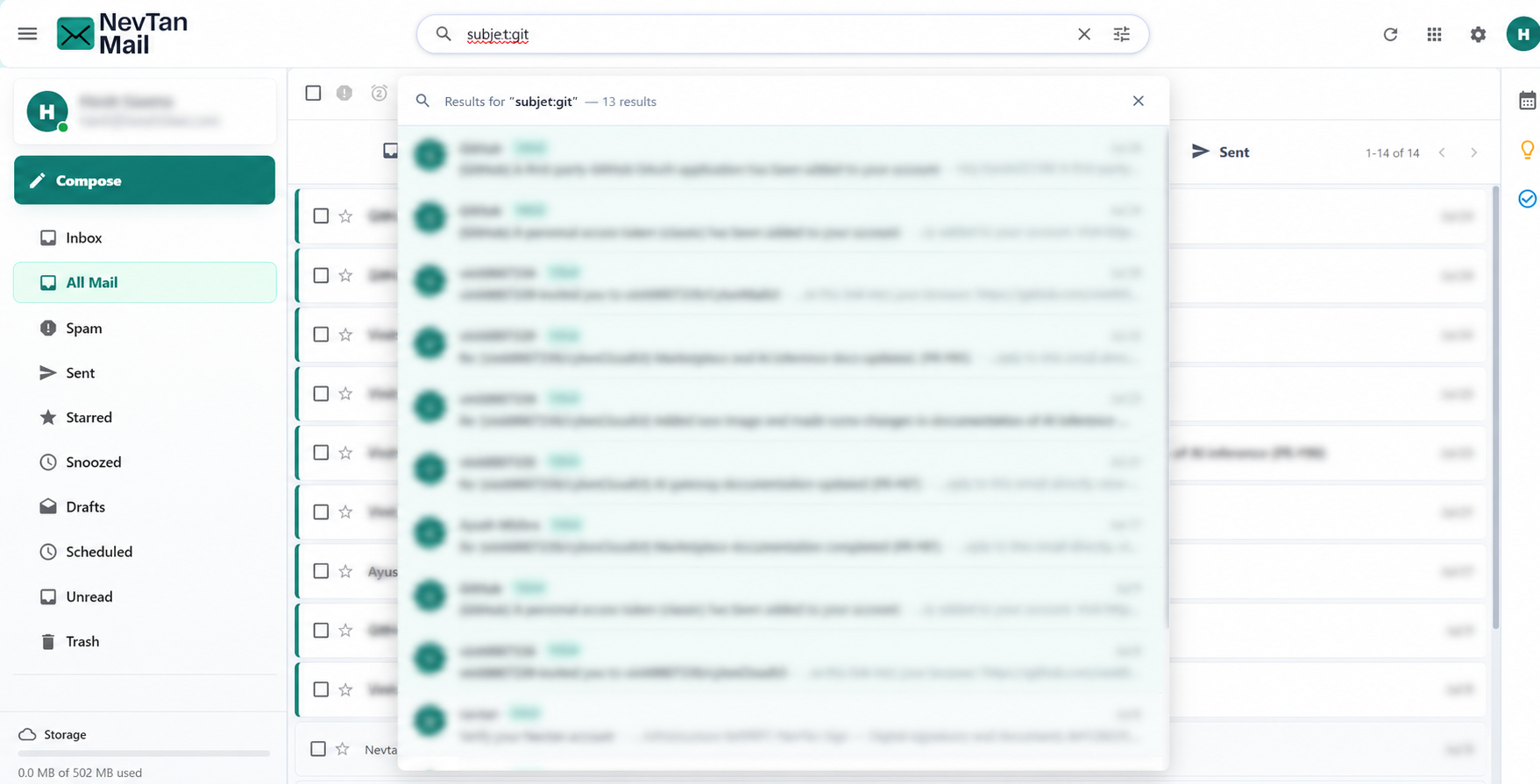
Enter any keywords to match on subject, sender, recipient, or message content. As you type an operator like from:, NevTan Mail suggests matching contacts to complete it.
Search operators
Combine any of these in the search bar:
| Operator | Finds |
|---|---|
from: | Messages from a specific sender |
to: | Messages sent to someone |
cc: | Messages copying someone |
bcc: | Messages blind-copying someone |
subject: | Words in the subject line |
has:attachment | Messages with an attachment |
filename: | An attachment by name or type |
is:unread, is:read, is:starred | Messages by their state |
in: | A specific folder (inbox, sent, drafts, spam, trash) |
after: / before: | Messages by date, e.g. after:2026/01/31 |
larger: / smaller: | Messages by size, e.g. larger:5M |
OR | Match either of two terms |
For example, to find unread mail from a teammate that has an attachment:
from:priya has:attachment is:unread
Advanced filters
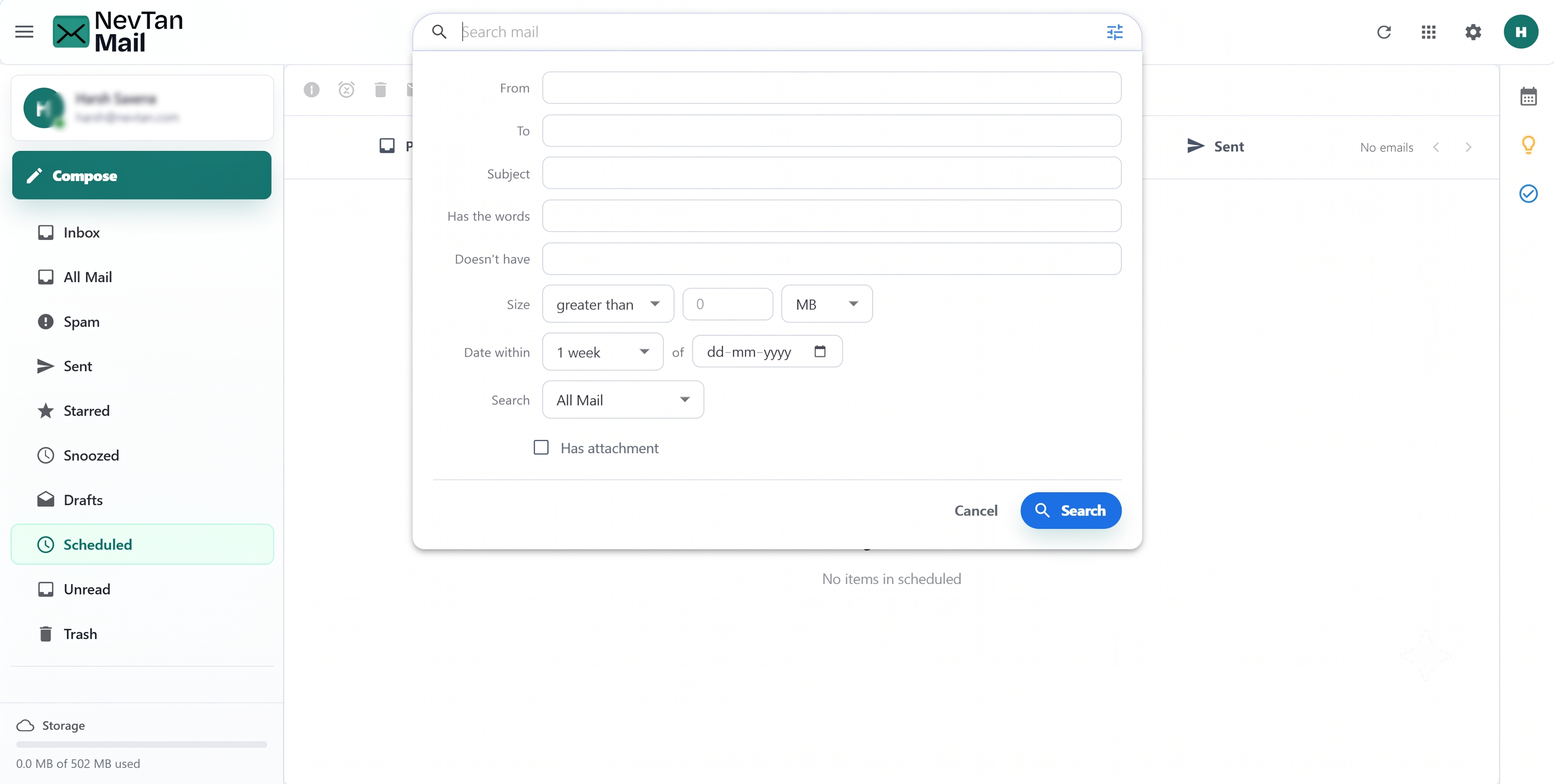
Prefer a form? Open the filter panel from the tune icon in the search bar to build a search without typing operators. You can set:
- From, To, and Subject
- Words the message must include, and words it must not
- A size condition (greater or less than a number of bytes, KB, or MB)
- A date window (within a day, week, month, or up to a year of a chosen date)
- Which folder to search
- Whether the message has an attachment
Each field maps to a search operator, so you don't have to remember the syntax: From, To, and Subject match those headers; Has the words and Doesn't have include or exclude terms; the Size and Date within rows narrow by message size and age; and you can limit the search to a single folder or to messages that have an attachment. The panel builds the matching search and runs it for you.
Recent searches
Your recent searches are remembered so you can run them again with one click. You can remove an individual entry, or clear the whole search history.
Still need a hand?
Our support team usually replies within one business day.