
Your profile
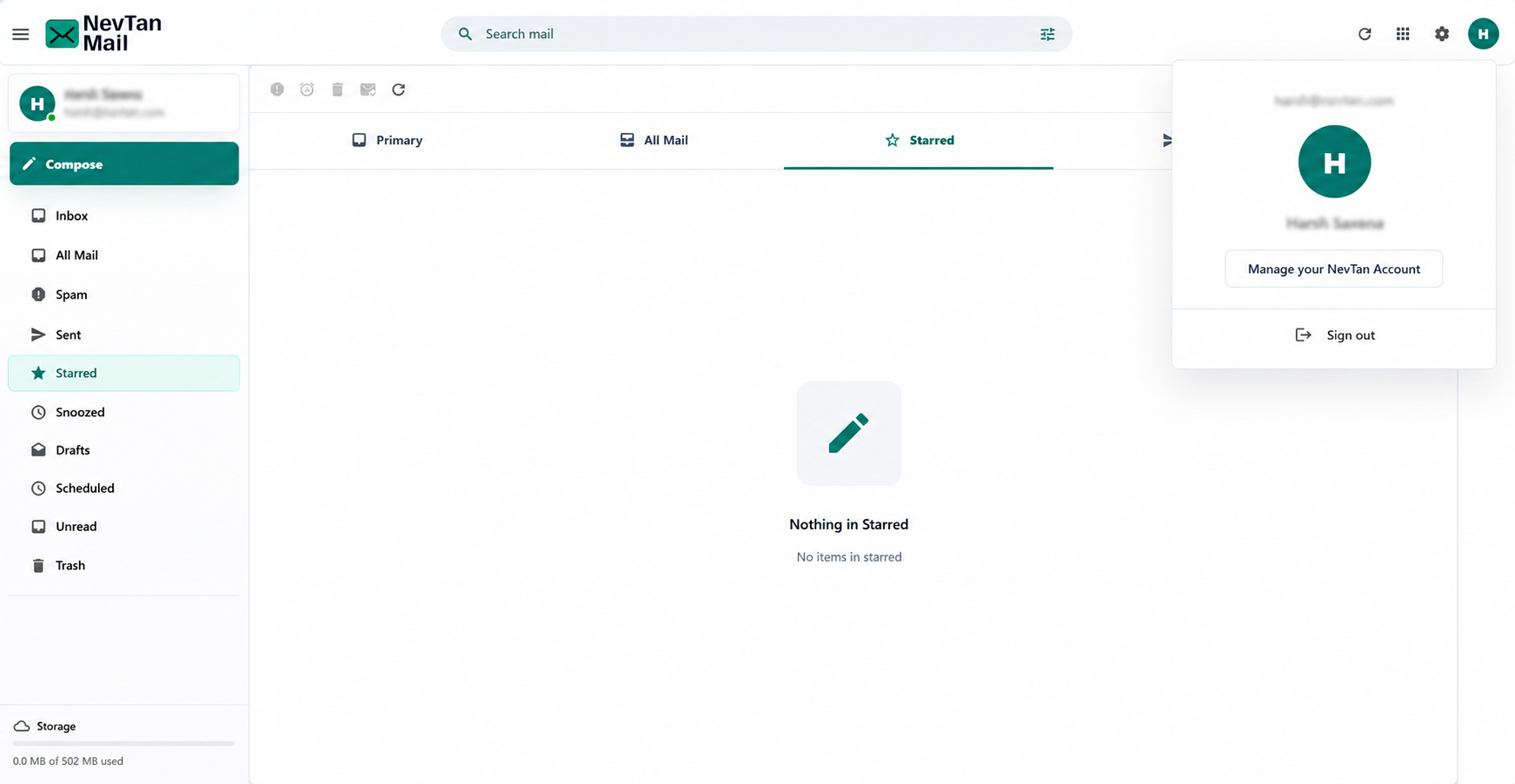
Manage your personal details from your NevTan account, reachable from the avatar menu in the top-right corner.
Open your profile
Click your avatar at the top-right and choose Manage your NevTan Account.
What you can change
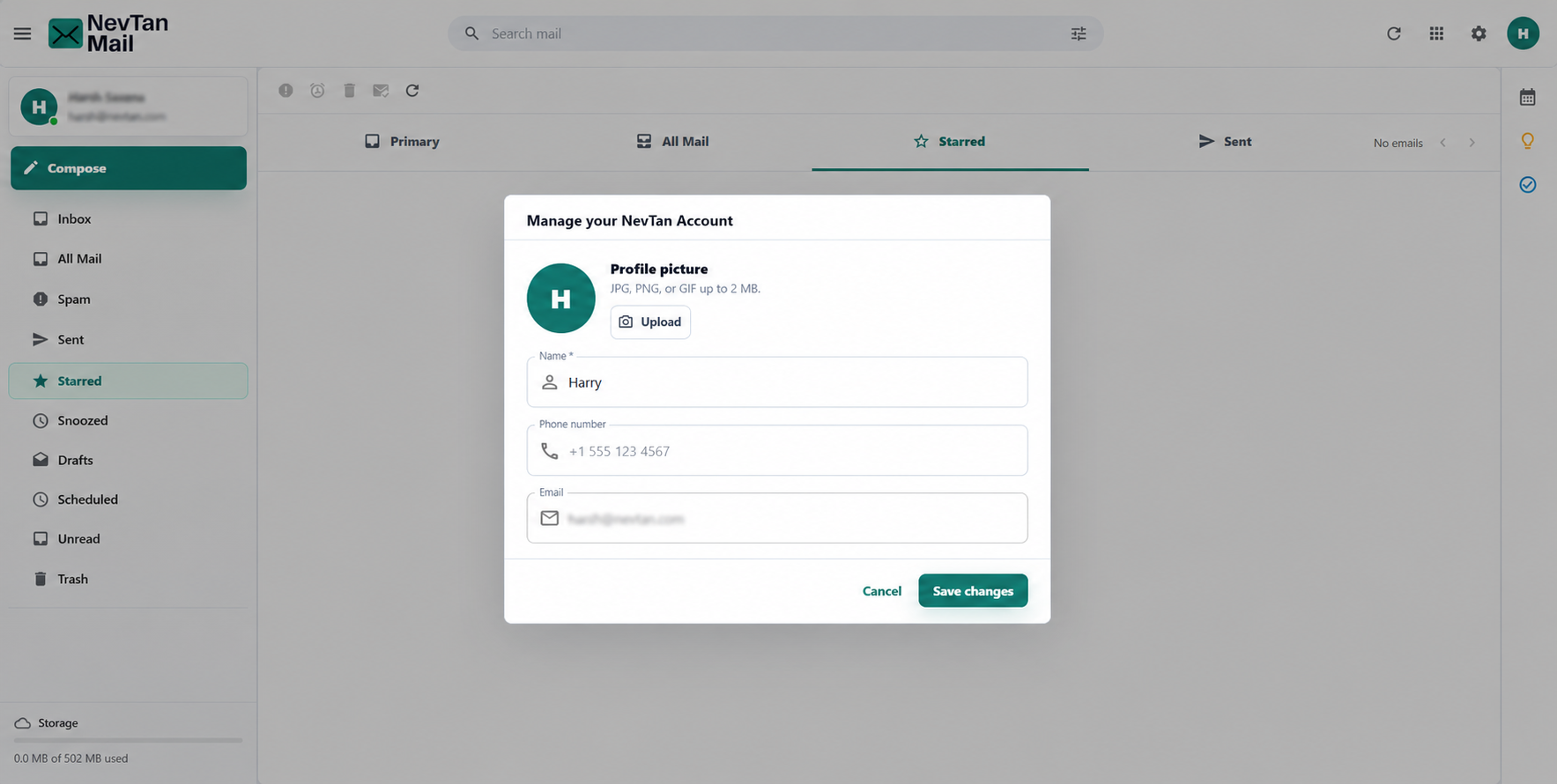
- Name — how you appear to others.
- Phone number — an optional contact number.
- Profile picture — see below.
Your email address is fixed
Your sign-in email is shown but can't be changed here — it's tied to your mailbox. Admins can create or adjust mailboxes from Admin → Mailbox.
Profile picture
Upload a JPG, PNG, or GIF up to 2 MB. You can remove it any time to go back to the default avatar.
No theme or signature settings yet
NevTan Mail currently uses a single light theme, and there's no saved-signature setting — add a sign-off in the message body when you compose.
Still need a hand?
Our support team usually replies within one business day.