
Organizing your inbox
Use the toolbar above your mail to act on messages. Every action works on a single message you have open, or on several you've selected in the list.
The message toolbar
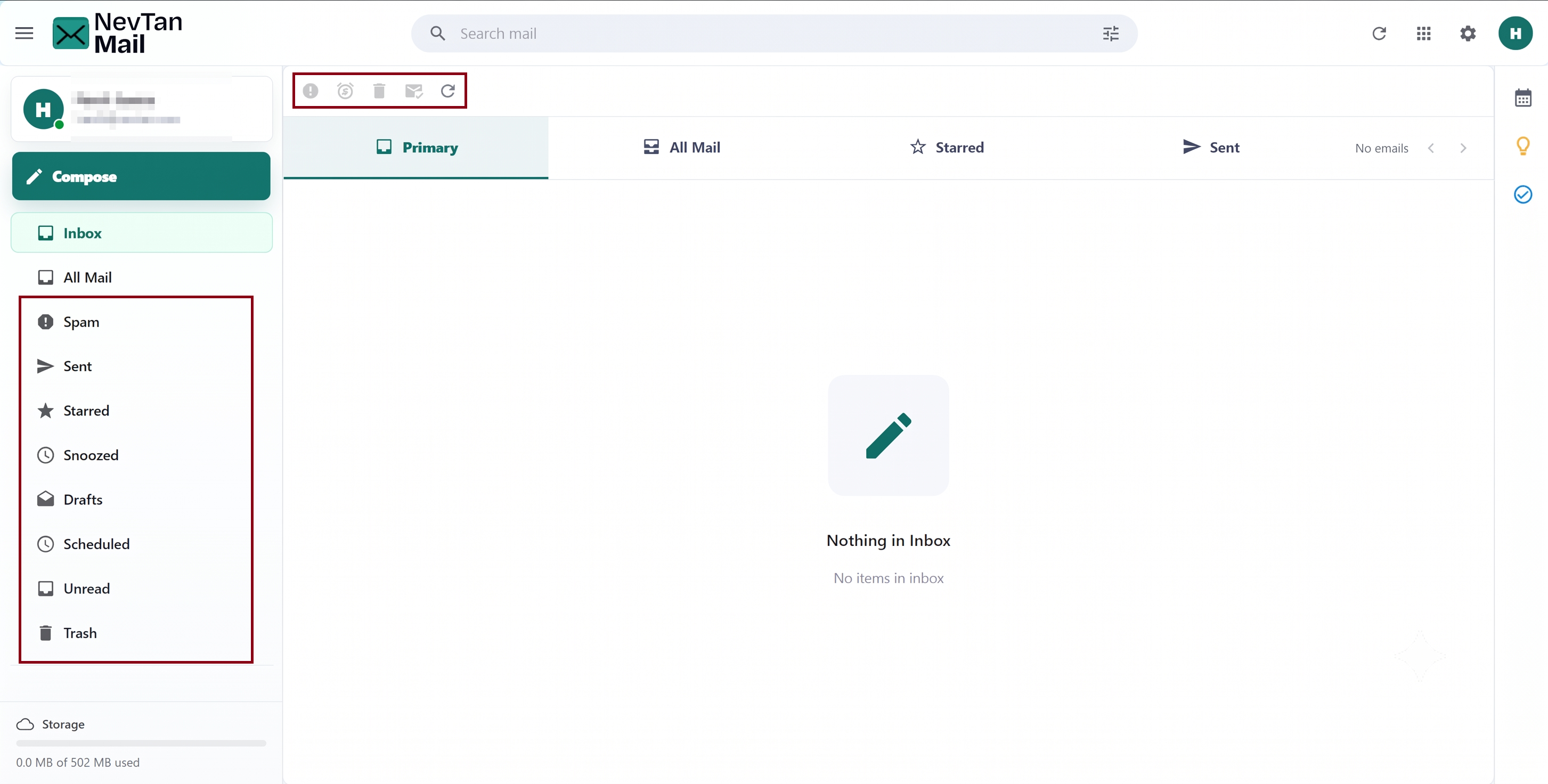
The toolbar gives you spam, snooze, trash, and read/unread controls, plus refresh. Which controls appear depends on the folder — for example, Delete forever only shows in Trash.
Selecting several at once
Tick the checkbox on a row to select a message, or use the checkbox at the top of the list to select everything shown. Then use the toolbar to act on all the selected messages together.
Star
Click the star on a message to flag it as important. Starred messages are collected in the Starred folder. Click the star again to remove it.
Read & unread
Opening a message marks it read. To flip the state yourself, select one or more messages and choose Mark as read or Mark as unread. Marking something unread keeps it unread until you change it.
Snooze
Snooze moves a message out of your inbox and files it under Snoozed so it's not in your way. When you're ready to deal with it, open the Snoozed folder and choose Unsnooze to send it back to the inbox.
How snooze works here
Snooze is a simple on/off action — it doesn't schedule a message to reappear at a set time. Snoozed mail stays in the Snoozed folder until you unsnooze it.
Spam
If something unwanted reaches your inbox, select it and choose Mark as spam to move it to the Spam folder. If a good message was flagged by mistake, open Spam and choose Unmark as spam to move it back.
Trash & delete
Choose Move to trash to delete a message. Trashed mail sits in the Trash folder, where you can Restore it if you change your mind. Messages in Trash are removed automatically after 30 days; to clear them sooner, open Trash and use Empty Trash, or select messages and choose Delete forever.
Deleting is permanent
Emptying the Trash or deleting forever cannot be undone. Restore anything you want to keep before you clear the folder.
Still need a hand?
Our support team usually replies within one business day.