
Admin overview & roles
NevTan Mail has three kinds of account. Most people are standard users; admins manage a domain and its mailboxes; super admins operate the platform.
Roles
| Role | Can do |
|---|---|
| User | Use their mailbox, calendar, and the productivity tools. |
| Admin | Everything a user can, plus manage the organization's domain, mailboxes, and subscription. |
| Super admin | Operate the platform across all domains — managing domains, admins, storage, and payment history. Super admins don't have a mailbox of their own. |
The admin dashboard
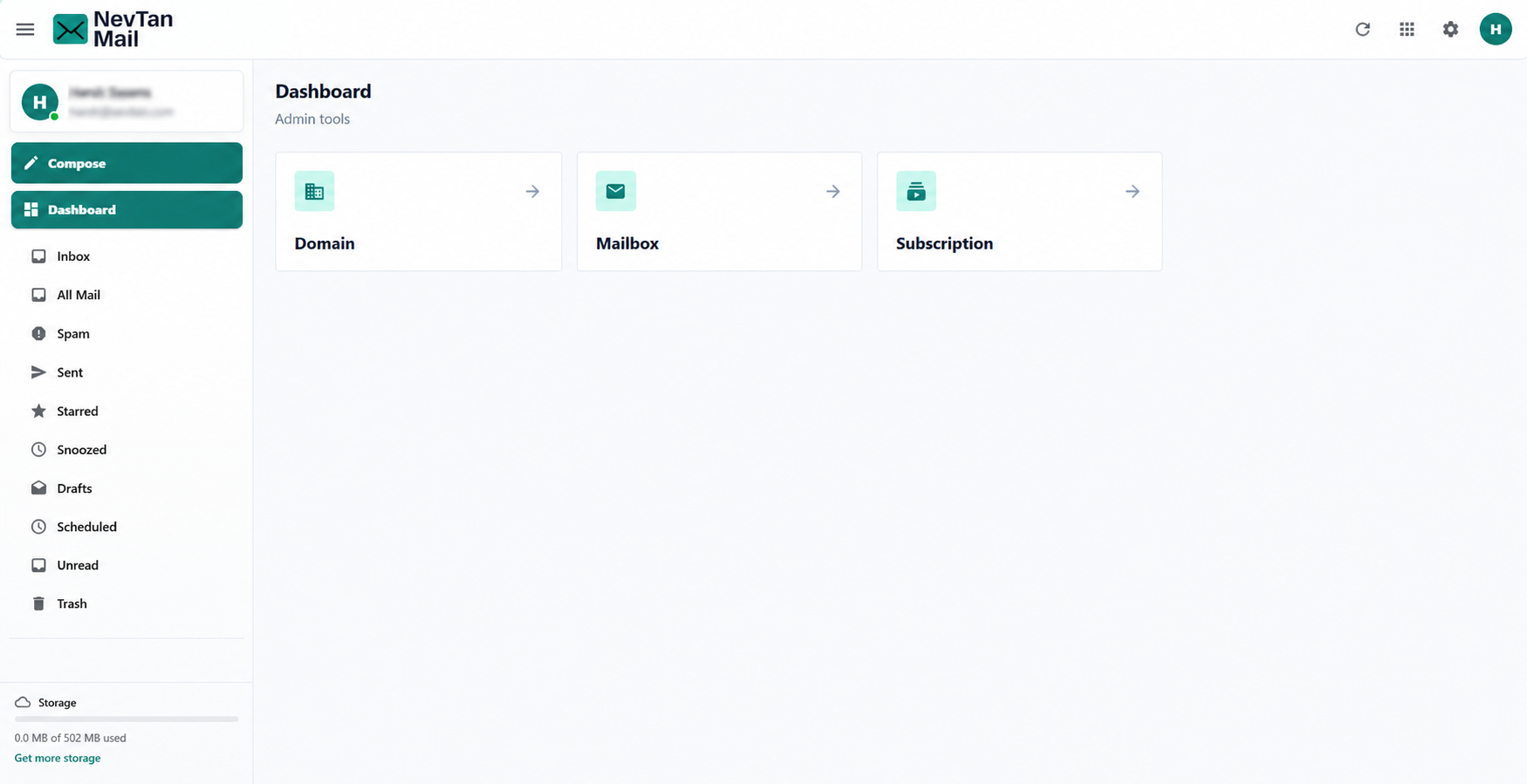
Admins get an admin area with three areas to manage:
- Domain — add a domain and manage its DNS records. See Add & verify a domain.
- Mailbox — create and manage mailboxes and admin roles. See Create & manage mailboxes.
- Subscription — build a plan, check out, and view billing. See Plans & pricing.
Who becomes an admin
The person who sets up a domain is its admin. An admin can promote another mailbox on the domain to admin, or revoke that access, from the mailbox editor. Super admin accounts are controlled by NevTan and aren't something an organization assigns itself.
Still need a hand?
Our support team usually replies within one business day.